
Text, checkbox, dropdown
Complete supported interactive fields.

Complete supported interactive fields.
Document processing runs in your browser.
Keep fields editable or flatten their values.
Choose a PDF that already has fillable fields.
Type, tick or choose. Review every value.
Export an editable or flattened copy, then reopen it.
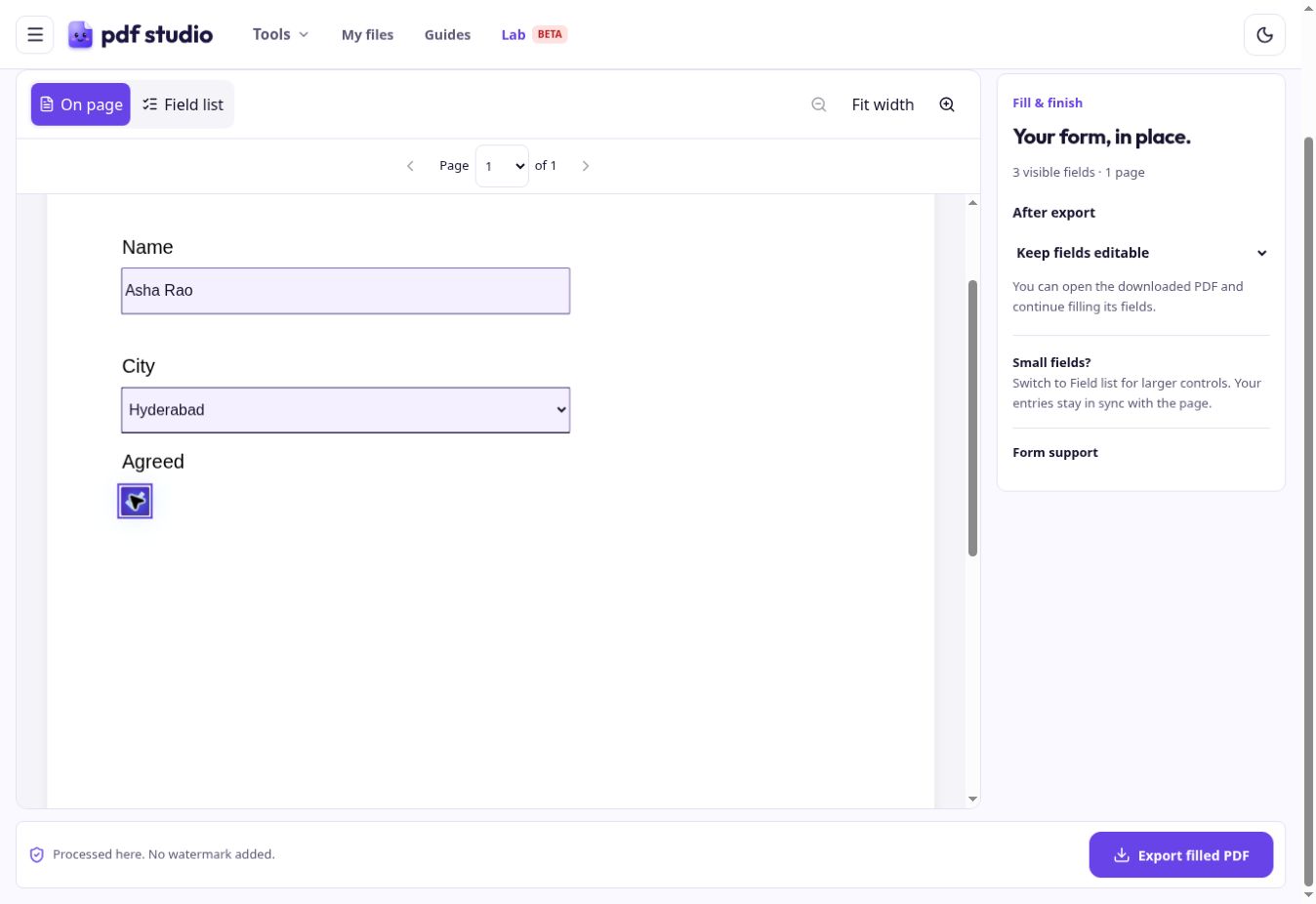
Keep fields editable to update them later. Flattening makes the field values part of the page. It does not prevent all PDF editing.
Keep an editable copy if you may revise the form.
This tool fills existing interactive fields. For a flat PDF or scan, use Edit PDF to add text. Unsupported field types are flagged in the workspace.
Download important work before closing the browser. Local storage is not a backup.
The PDF may be a scan or a static form without interactive fields.
Flattening makes field values part of the page appearance rather than editable form controls.
Supported inputs: PDF. Supports text, checkbox and dropdown fields. Choose editable fields or flatten the completed form.
Core tools require no account or subscription and add no watermark.
Document processing runs in your browser. PDF Studio does not upload document files. Explicitly saved drafts and My files remain in this browser until deleted. Read aloud may use network-backed browser voices.
Free. No watermark. In your browser.