

How to remove clickable links from a PDF
Remove clickable page link annotations. Learn the available controls, a practical example and what to check.
Open Remove PDF links →Follow these steps
- Open the original single PDF.
- Export a copy without page Link annotations.
- Check that visible text and form fields still appear.
What this tool actually does
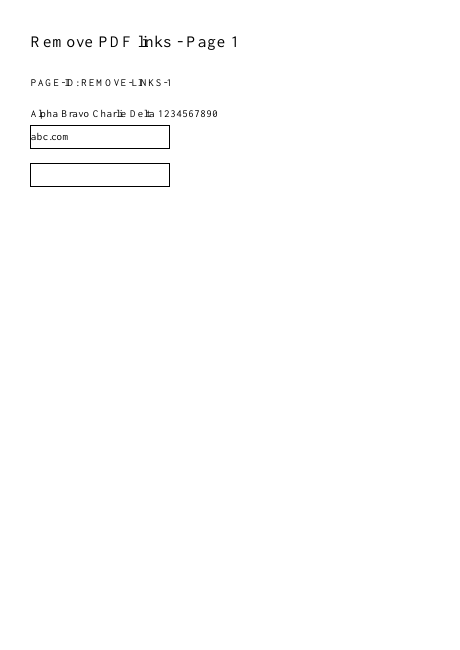
A Link annotation makes an area interactive. The visible letters beneath it are separate page content, and some readers automatically recognize addresses even without an annotation.
Choose the controls for your document
Use an original single PDF. Check an explicit external link and an internal page link in a reader that exposes annotations; do not judge only by blue text.
Before your first export
For a handout, removal should leave the printed address readable when it forms part of the explanation. If the address itself is private, link removal is insufficient; use a content-removal workflow instead.
A web address is still clickable
The reader may auto-detect URLs. Try disabling that reader feature or inspect annotation objects before concluding that explicit link removal failed.
A checked example you can try
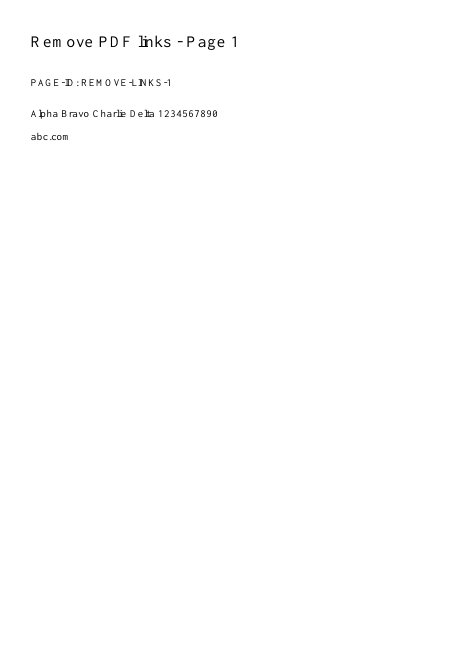
Explicit page link annotations are absent.
Settings used in this engine check
- quality
- compact
- angle
- 90
- margin
- 20
- start
- 1
- columns
- 2
Check the result
Visible URL text, bookmarks, comments and forms remain. This does not remove scripts or securely sanitize a document.
Keep the original. When this task produces a file, reopen the download in the application where you will use it and inspect the affected pages. An illustration explains the operation; it is not a recorded processing test.
Practical tips
- Use an original single PDF. Check an explicit external link and an internal page link in a reader that exposes annotations; do not judge only by blue text.
- The reader may auto-detect URLs. Try disabling that reader feature or inspect annotation objects before concluding that explicit link removal failed.
- That is expected. Use a genuine text edit or redaction when the address itself must be removed; removing interaction does not remove the address.
Questions
A web address is still clickable?
The reader may auto-detect URLs. Try disabling that reader feature or inspect annotation objects before concluding that explicit link removal failed.
The URL text is still visible?
That is expected. Use a genuine text edit or redaction when the address itself must be removed; removing interaction does not remove the address.