

Headers & footers: common problems and how to fix them
Resolve a placeholder prints literally and the new label overlaps content. Understand the limits before retrying.
Open Headers & footers →Follow these steps
- Choose the supported source file or files from your device.
- Enter the header or footer label in the available controls.
- Export and inspect margins on every page orientation.
A placeholder prints literally
Check the exact supported token spelling and braces. Unsupported placeholders are not a template language.
The new label overlaps content
Increase usable margins or move the label to another slot. Adding a footer does not automatically reflow the original page away from it.
Check whether this is the right operation
Headers and footers add new text to the page. Dynamic placeholders use current PDF positions and totals; they do not infer chapter numbers printed in the source.
A more useful retry
For a committee pack, use short running labels and leave space around the body text. Compare the longest header with the narrowest page; one clean page is not enough to prove the whole pack fits.
A checked example you can try
Requested label is present in extracted output text.
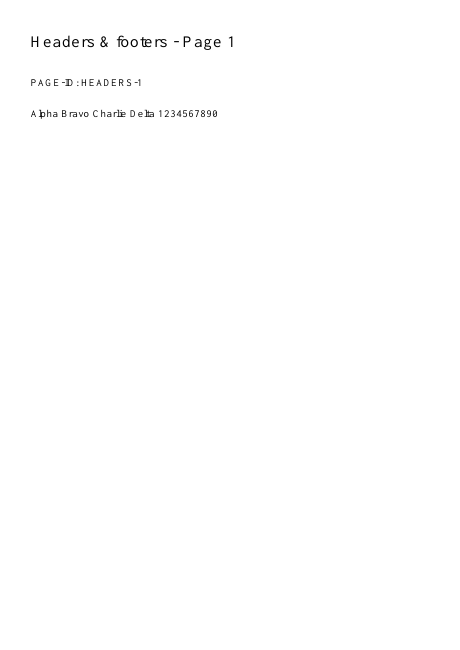
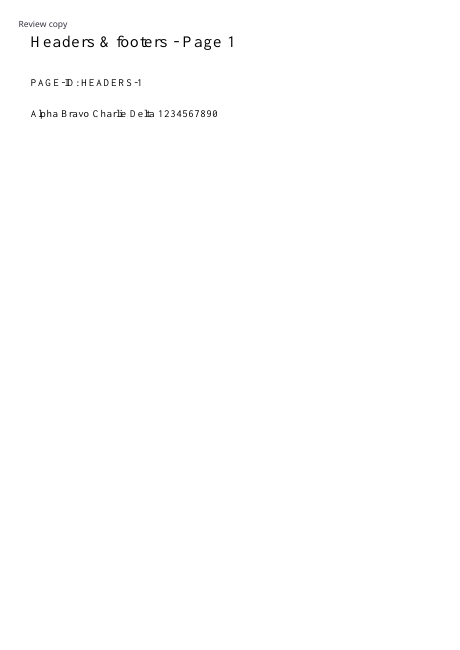
Settings used in this engine check
- text
- Review copy
- quality
- compact
- angle
- 90
- margin
- 20
- start
- 1
- columns
- 2
Check the result
Labels may overlap content near page edges. Reopen the output before sharing.
Keep the original. When this task produces a file, reopen the download in the application where you will use it and inspect the affected pages. An illustration explains the operation; it is not a recorded processing test.
Practical tips
- Use left, centre or right slots and the supported {page}, {total} and {date} tokens. Keep font size and inset suitable for the source margins.
- Check the exact supported token spelling and braces. Unsupported placeholders are not a template language.
- Increase usable margins or move the label to another slot. Adding a footer does not automatically reflow the original page away from it.
Questions
A placeholder prints literally?
Check the exact supported token spelling and braces. Unsupported placeholders are not a template language.
The new label overlaps content?
Increase usable margins or move the label to another slot. Adding a footer does not automatically reflow the original page away from it.
What is this tool useful for?
Label a document with a repeating title or reference.
What should I check in the result?
Labels may overlap content near page edges. Reopen the output before sharing.