

Pages per sheet: common problems and how to fix them
Resolve text is too small to read and the last sheet has empty spaces. Understand the limits before retrying.
Open Pages per sheet →Follow these steps
- Choose the supported source file or files from your device.
- Choose two or four pages per sheet.
- Export and inspect small text at the intended print size.
Text is too small to read
Reduce the number of pages per sheet or use a larger output sheet. More slots save paper but shrink every page.
The last sheet has empty spaces
That follows from the retained count. Check the expected sheet count with ceiling(input pages / slots); empty final slots are not missing pages.
Check whether this is the right operation
N-up reduces each source page to fit a slot on a new sheet. It is a physical page-layout transformation, unlike a reader two-column preference.
A more useful retry
For lecture handouts, choose readability before maximum paper savings. Print a trial sheet if possible. Page previews on a high-resolution screen can conceal how small equations and footnotes become on paper.
A checked example you can try
Six inputs become two four-up sheets.

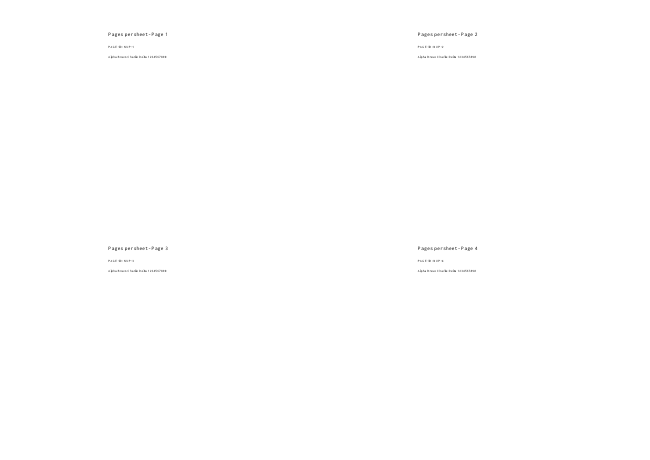
Settings used in this engine check
- quality
- compact
- angle
- 90
- margin
- 20
- start
- 1
- columns
- 4
Check the result
Multiple pages on one sheet reduce their visible size. Use Resize for one page on each A4 sheet.
Keep the original. When this task produces a file, reopen the download in the application where you will use it and inspect the affected pages. An illustration explains the operation; it is not a recorded processing test.
Practical tips
- Choose 2, 4, 6 or 9 according to source text size. An incomplete last sheet is normal when the input count is not divisible by the selected number.
- Reduce the number of pages per sheet or use a larger output sheet. More slots save paper but shrink every page.
- That follows from the retained count. Check the expected sheet count with ceiling(input pages / slots); empty final slots are not missing pages.
Questions
Text is too small to read?
Reduce the number of pages per sheet or use a larger output sheet. More slots save paper but shrink every page.
The last sheet has empty spaces?
That follows from the retained count. Check the expected sheet count with ceiling(input pages / slots); empty final slots are not missing pages.
What is this tool useful for?
Make a compact handout or reduce the number of printed sheets.
What should I check in the result?
Multiple pages on one sheet reduce their visible size. Use Resize for one page on each A4 sheet.