

Create stable review IDs for a document pack
A reviewer wants labels such as CASE-000101 through CASE-000106.
Open Bates numbering →Follow these steps
- Choose the supported source file or files from your device.
- Enter the prefix and starting number for your identifiers.
- Export and check the first and last identifiers.
The document and the intended outcome
A reviewer wants labels such as CASE-000101 through CASE-000106. Set prefix, starting value and digit count, then compare the first and last identifiers after export.
Make this example work for your file
For a review bundle, choose a prefix that identifies the matter and a start value that follows previous batches. Record the first and last identifiers. Duplicating a labelled file later can create repeated identifiers.
Choose only the settings this case needs
Set Prefix, Suffix, Number of digits and Starting number. Keep a register of the intended range so later batches do not reuse identifiers accidentally.
When the example needs a different approach
Reduce font size, shorten the prefix or use a clearer margin position. Check the longest identifier in the batch.
A checked example you can try
Requested label is present in extracted output text.

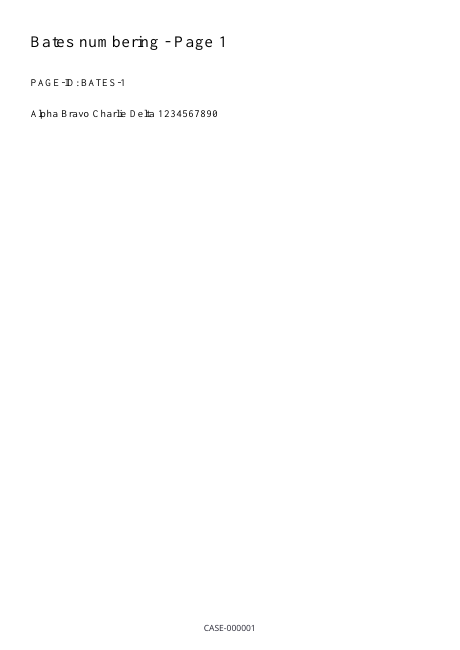
Settings used in this engine check
- text
- CASE-
- quality
- compact
- angle
- 90
- margin
- 20
- start
- 1
- columns
- 2
Check the result
These are visual identifiers, not proof of authenticity. Check the labeling requirements of the recipient.
Keep the original. When this task produces a file, reopen the download in the application where you will use it and inspect the affected pages. An illustration explains the operation; it is not a recorded processing test.
Practical tips
- Set Prefix, Suffix, Number of digits and Starting number. Keep a register of the intended range so later batches do not reuse identifiers accidentally.
- Choose the next starting value or a distinct prefix before exporting the next pack. The tool does not maintain a central case-wide numbering register.
- Reduce font size, shorten the prefix or use a clearer margin position. Check the longest identifier in the batch.
Questions
Two packs share the same IDs?
Choose the next starting value or a distinct prefix before exporting the next pack. The tool does not maintain a central case-wide numbering register.
A label is clipped or too wide?
Reduce font size, shorten the prefix or use a clearer margin position. Check the longest identifier in the batch.
What is this tool useful for?
Give pages sequential reference labels.
What should I check in the result?
These are visual identifiers, not proof of authenticity. Check the labeling requirements of the recipient.